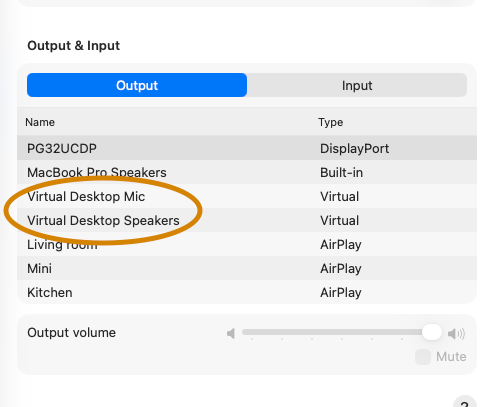
Uninstalling Virtual Desktop Streamer can leave Virtual Desktop Mic and Virtual Desktop Speakers behind in macOS Sound settings.
Copy-paste this prompt to your AI agent
Prompt:
Remove the leftover Virtual Desktop Streamer audio components from my Mac.
Move these exact items to Trash:
/Library/Audio/Plug-Ins/HAL/VirtualDesktopMicrophone.driver
/Library/Audio/Plug-Ins/HAL/VirtualDesktopSpeakers.driver
/Library/LaunchAgents/com.virtualdesktop.streamer.plist
/Library/LaunchDaemons/com.virtualdesktop.daemon.plist
Check that each item exists before moving it. Unload the matching Virtual Desktop launchd jobs first. Move only these four items, do not permanently delete them, and do not touch unrelated audio drivers. Ask me to enter administrator authentication if macOS requires it.
Restart Core Audio. If that is not possible, have me restart the Mac. Then verify that the Virtual Desktop devices are gone and test the audio outputs I actually use.
Verify the cleanup
system_profiler SPAudioDataType | grep -i "Virtual Desktop"No output means the Virtual Desktop audio devices are gone. Keep the files in Trash until your normal audio outputs work correctly.
Written by Codex, approved by Azad.

